Metrics
Experimental feature
This feature was added in v1.0.4 and is still considered experimental. If you notice any strange behavior, please raise a ticket in the repository issues.
Metrics can be used to track how Watchtower behaves over time.
To use this feature, you have to set an API token and enable the metrics API, as well as creating a port mapping for your container for port 8080.
The metrics API endpoint is /v1/metrics.
Available Metrics
| Name | Type | Description |
|---|---|---|
watchtower_containers_scanned | Gauge | Number of containers scanned for changes by watchtower during the last scan |
watchtower_containers_updated | Gauge | Number of containers updated by watchtower during the last scan |
watchtower_containers_failed | Gauge | Number of containers where update failed during the last scan |
watchtower_scans_total | Counter | Number of scans since the watchtower started |
watchtower_scans_skipped | Counter | Number of skipped scans since watchtower started |
Example Prometheus scrape_config
yaml
scrape_configs:
  - job_name: watchtower
    scrape_interval: 5s
    metrics_path: /v1/metrics
    bearer_token: demotoken
    static_configs:
      - targets:
- 'watchtower:8080'Replace demotoken with the Bearer token you have set accordingly.
Demo
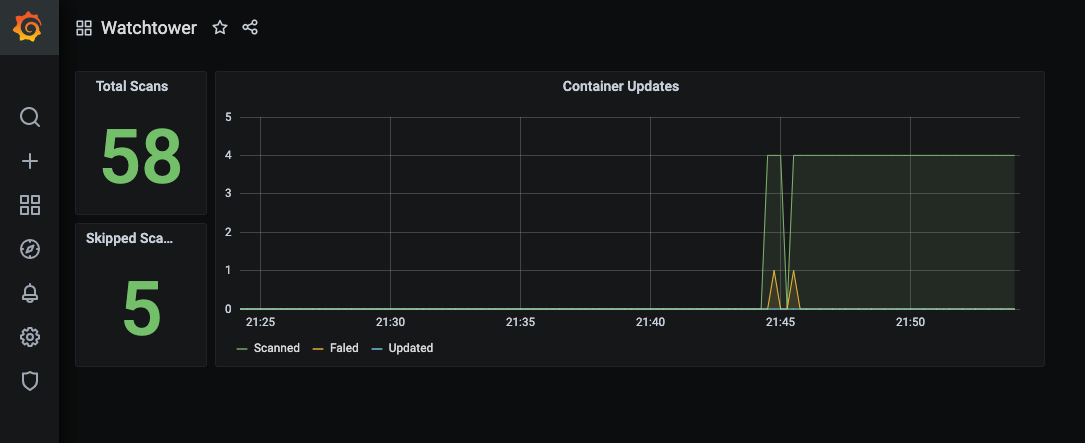
The repository contains a demo with prometheus and grafana, available through docker-compose.yml. This demo is preconfigured with a dashboard, which will look something like this: